I feel like this pro-personal web sentiment has been growing a lot over the past few months, and I’m really hopeful it continues to strengthen over the rest of the year. If the history of the web has shown us anything, it’s that all of the social platforms, even the ones we view as the “good” ones at any given point, will eventually fade away or become one of the “bad” ones.
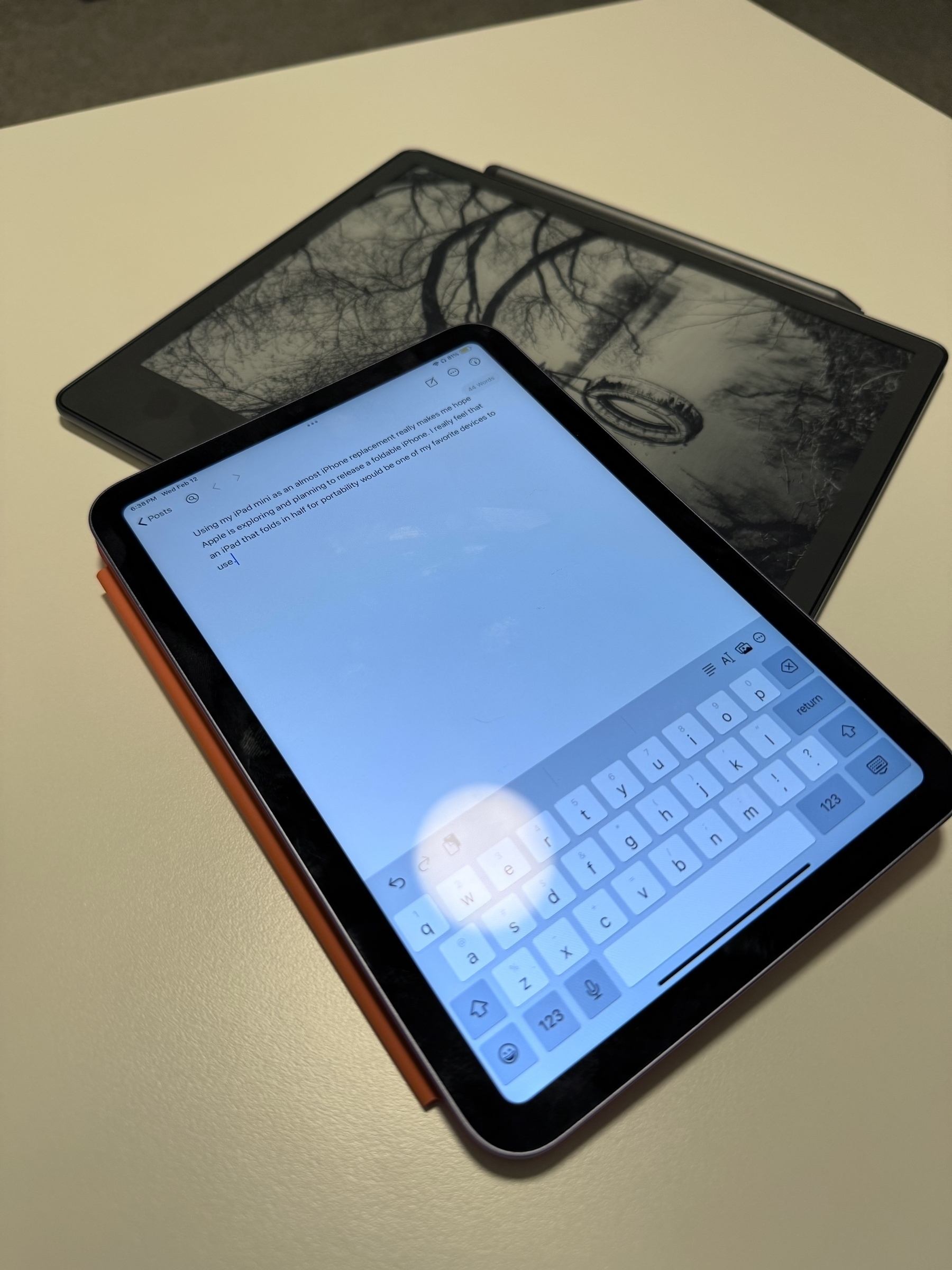
Using my iPad Mini as an almost iPhone replacement really makes me hope Apple is exploring and planning to release a foldable iPhone. An iPad that folds in half for portability, but expands for extra space, would make it the perfect everyday device. And knowing Apple, they would find some way to make the folding experience unique and enjoyable.
Came across this post by Stephen Hackett on 512 Pixels talking about the new page that David Sparks is building on his blog, MacSparky. (Following the links, this idea stemmed from Derek Silvers) Interesting experiments like this “Now” page show just how unique and interesting blogging can still be in 2025. Can’t wait to build mine and start using it as a way to stay focused on various projects and hobbies.
NSWorkspace has to be one of the more obscure AppKit classes. Really powerful features, even with the limitations of App Sandboxing. Interesting though that it never got fully transitioned to a newer Swift class where it would have dropped the NS prefix.
While there has been a lot of bad press lately about Apple and the App Store, it’s still inspiring to see small apps being clever and unique. First, I had ever heard of the Bears Gratitude app; however, it’s great to see Apple highlighting a fun app created by a small husband-and-wife team. Reminds me of the heyday of the App Store during 2008-2010.
I played a fair amount of my Asus ROG Ally today, and it makes me wish more developers, and more importantly, Apple, would have put additional effort behind using the Game Porting Toolkit announced back in 2023. Sure, the chances of Apple making a device like the Ally are slim to none due to…physical buttons, but the idea of a M series portable game console sounds like a dream.
Of all the features Swift brought to developing on Apple platforms, the .filter and .map functions on arrays are by far my favorite and most used of any Swift feature.
Watching Star Trek: The Next Generation on the Vision Pro in the Moon environment feels like the future. I may not use the Vision Pro every day, but these small experiences make me wish more people could experience the Vision Pro.
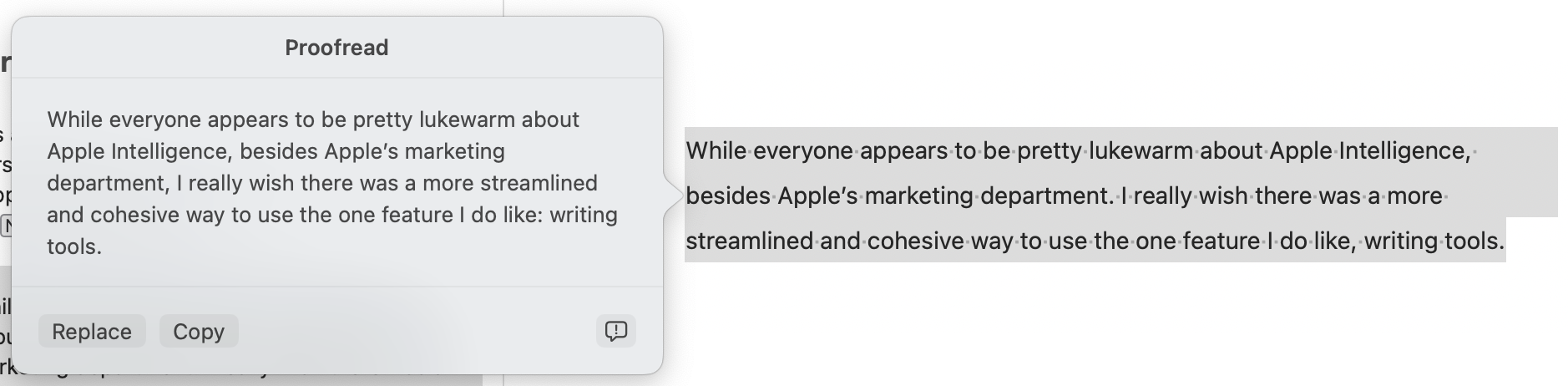
While everyone appears to be pretty lukewarm about Apple Intelligence, besides Apple’s marketing department, I wish there was a more streamlined and cohesive way to use the one feature I do like: writing tools.
Whenever I use the Proofread feature within an app like Ulysses, I just get this big proofread text with no annotations for changed content.
I had some free time this past weekend, so I thought I would create a little unofficial demo app for the Achievement Hunter website. I’ve been working on getting all the achievements in my 360 games and wanted an easy way to track the achievements without opening up the Xbox guide or having a laptop next to me.
The app lists all the recent game guides from Achievement Hunter and allows you to easily search to find a game. In the game profile you see the main image, title, achievements, and associated Achievement Hunter videos. You can easily scroll through all the achievements to see their image, title, and description. When an achievement has been completed its cell is turned green. When you tap an achievement its profile gives the full description, if it is single or multiplayer, difficulty, and a link to any video guides for the achievement. Once you have completed an achievement you just swipe the cell to mark it as completed. Along with the achievement list, the profile shows any Achievement Hunter videos that are associated with the game and allows you to easily watch them from within the app.
I have almost completely moved from a SQLite/FMDB setup to Core Data in my iOS apps. The main reason for this switch was due to how easy it is for me to get Core Data setup and have a nice object backed database. If you have read anything about Core Data in the past, great post by Brent Simmons talking about when he tried Core Data, you will know that depending on what app you are building Core Data can either be a godsend or a massive pain. For the types of apps I write Core Data works perfectly, and I still leave open the possibility to change from Core Data to SQLite/FMDB at any point if I find the switch worthwhile.
With that being said there are a few things that I miss a lot from the SQLite/FMDB setup and really wish Apple would fix. The biggest issue surfaces when you try to bulk update/delete records from the database. When you want to delete all records from a table with FMDB the code looks similar to this.
if ([appDatabase open]){
    [appDatabase executeUpdate:@"DELETE FROM Checkins WHERE 1"];
    [appDatabase executeUpdate:@"DELETE FROM Events WHERE 1"];
}
On Core Data though you first must load all the instances of the object in the database then iterate over each and delete them.
Core Data should have some kind of method that allows for the ability to remove or update all objects based on a NSPredicate, or something new, without the need to iterate over each item. I would even be fine with the ability to call deleteObjects: and pass in an array of objects over what you currently have to do. With WWDC 2014 coming up hopefully we will see some improvements to Core Data.
Side Note: You should really read Brent’s posts about his work with setting up sync for Vesper, it is one of the best developer diaries on the web.
On Saturday comiXology, the large comic reading/purchasing mobile app, removed the option to buy comics through In-App purchasing. Customers will now have to go to comiXology’s website to purchase comics, then be redirected back to the app to read it.
I have used comiXology in the past and loved it, mainly for its ability to purchase comics from the app with my Apple ID. I would imagine that many people liked the convenience of not having to give out their credit card information and create a comiXology account to buy comics.
ComiXology is adding another step to their customers checkout process, something that should never be done. In-App purchasing allowed customers to easily buy a comic, since they did not have to complete a traditional checkout process. New customers, who just got their iPad for instance, will have to leave the app, go to comiXology’s website, select a comic, create an account, and enter in their payment information. The process before this change required the customer to open the app, select a comic, and enter their Apple ID password. It didn’t require them to have their payment information on hand, or create a new account with comiXology.
In the long term they have removed Apple and Google from taking their cuts for In-App purchasing, but complicated the buying experience for their customers. It should be noted that comiXology was purchased by Amazon last month.
I thought this week I would collect a list of the most useful resources I have used to learn iOS development. These range from the basics of development, to very advanced Objective-C ideas and techniques. This list also includes developer blogs and podcasts that are entertaining and helpful.
The best way to start learning iOS development. Even the information from past semesters are worth a look. Is a great first step for people wanting to learn iOS/Objective-C development.
It’s been about four years since I have built and released an iOS app on the App Store. During that time, I’ve been building internal apps for a company I work for that are never seen by the general public. I have learned a lot from this experience, however I feel like it’s time to start making apps that are available to everyone.
A year ago I started to teach myself the HSK Level A Chinese character set. I went to Amazon and bought a fantastic book from Tuttle, Learning Chinese Characters and everything was going great. Until I wanted to study or review over characters when I left the book at home or didn’t want to carry it with me. Initially I did what everyone does, I created a stack of index cards with the character and the meaning on them. This didn’t last very long since my stack of index cards became massive very shortly and they were not convenient when I wanted to review them while waiting at the doctors or for a meeting to begin.
To fix this I created a simple proof of concept app that allowed me to draw the characters on the screen and assign their meanings to review whenever I wanted to. This worked great and allowed me to review the characters whenever I had free time, without the need to carry around index cards or a book. Over the next couple of weeks I worked on the app, adding a proper UI and making a quiz feature that would shuffle the characters and ask you their meanings. Then work picked up and I had to put the app aside.
Almost a year later I finally have enough time to fully develop this app and release it on the App Store and GitHub. I don’t expect this app to be extremely popular since it requires the user to already have a book of Chinese characters. There are also a lot of apps on the App Store that already have a list of characters in them, which is easier then having to manually add them into the app. Trying to make it big in the App Store with this app is not my goal in any way. My goal is to get back into the habit of making apps for the public on the App Store. I plan on releasing the app on GitHub for anyone to download and modify, as well as releasing it on the App Store for free. Hopefully this experiment will get me back into the rhythm of making and releasing apps for the App Store.
Over the past week I’ve been working on the drawing functionality of my new app. Along the way I thought this control would be useful if I abstracted it enough for any project to use. I also wanted to take this opportunity to publish the control as a CocoaPod and not just a basic open source project. I have been using CocoaPods recently and find them incredibly useful to the development process of iOS.
Overall it was easy, a single command creates the directory and all the required files to start working on the pod. The CocoaPod documentation is well written and clearly describes everything for the process. I had a good experience building the pod and publishing it, and can’t wait to build more CocoaPods in the future.