Day 8 didn’t see any work on my next app, but this morning I started to check off some of the outstanding todos I have for the app. It was an easy amount of progress thanks to me splitting up the work between implementing the feature in the data layer long before implementing it on UI layer.
With my travel mostly wrapped up I’m hoping to get back into a nice rhythm and still try and achieve my end of August goal of releasing the app.
I’m quickly learning that the moment I throw any amount of travel into my schedule, the chances of me being able to work on projects drop to near zero. Overall, this isn’t a bad thing since a nice break from time to time is super helpful and can lead to new paths to take.
Thankfully, even though I didn’t make any progress yesterday due to a full day of travel, today I was able to add a small feature to the app. It wasn’t a lot, and honestly doesn’t move the needle any huge amount, but it is something. And most of what is outstanding on the app is pretty small things that will help make the app more usable for more people.
One interesting thing I did discover by skipping yesterday and jumping back in today was how much I miss this space I’ve carved out to work. Between the Xcode project and these blog posts, it has become this peaceful and almost secluded space to do work. It makes me want to return to the work more and more as time goes on since it is such a joy to sit down, code, write about it, and post it online.
Next to no one is reading these posts, but I think that is why I’m enjoying this process so much. I’m not doing any of this for likes, views, or comments. I’m doing all of this for myself and enjoying the entire journey.
I made just a little amount of progress today towards improving the condensed mode of the app. However, I ran into the same issue I’ve been having, not with the app but with where I’m storing the source code.
For the last year or so, I have a pretty simple code storage stack of: iCloud Drive → GitHub. I don’t just use Git alone since I have two MacBooks that I alternate using depending on where I am or if I’m traveling. And I’ve been traveling before, having forgotten to push my latest changes to GitHub, meaning I couldn’t work on my projects. To solve this, I just keep the source code in my iCloud Drive so that the uncommitted changes can be synced across all my devices without having to worry about Git.
For the last year of using the flow, I haven’t had a single problem. In the last week, however, I have had this nagging issue where at some point, Xcode crashes out, and it seems to cause iCloud to go into a weird state where it keeps saying it is no longer connected. The other odd thing iCloud does is hide, or possibly remove, all my other iCloud Drive folders from the Finder. So all my folders for iCloud apps, such as Pages or Keynote, are completely gone. However, they start to pop back if I launch one of the applications that uses iCloud Drive.
This issue is becoming more and more of a headache, but more importantly, a source of fear. One time this happened, I did manage to lose some code changes since even though I was saving the file in Xcode, the actual file couldn’t be saved to iCloud Drive. While I’m still not 100% sure what my next solution to this would be, since I’m not the biggest fan of Dropbox, I’m hoping that this is some weird bug in either macOS or Xcode that will maybe get fixed in the future.
Getting behind Xcode was pretty hard today, but I selected what I thought was a pretty straightforward task to accomplish. About an hour later, I was able to get it completed and implemented a new layer of customization for the app. However, this was made possible by a great Swift Package called MCEmojiPicker.
This package allows you to easily show a fairly simple emoji picker without much overhead. It fully supports UIKit and, most importantly, SwiftUI. The package really shines with SwiftUI thanks to its use of bindings, which makes handling the selection a breeze. Packages like this are really great in helping you not reinvent the wheel for every little feature of your app.
Even though the past two days haven’t been the most productive with checking things off of my list of tasks before launch, I’m still glad I’m making forward progress. Hopefully, keeping up this pace will help me get across the finish line. Which makes me start to wonder when exactly that finish line should be set, as I don’t really have a natural deadline for the app. My initial thought is to aim for an end of August to launch, but shoot for much sooner to help get the app out the door and collecting feedback beyond my small selection of beta testers.
Today is a travel day for me, so I didn’t expect to get a whole lot done on the app. To my surprise, though, I was able to quickly hammer out the app’s settings view. I really want this app to fit into each customer’s workflow so that using the app doesn’t have a ton of friction. The whole point is to allow you to get in and out of the app as fast as possible, with most of the value of the app coming from customized notifications.
I’m enabling a lot of default customization so that the large majority of the app can be tweaked. I use and have tried so many apps, especially productivity apps, where I just want to make a small change to the creation of, say, a note, but the app has almost no settings options. And thankfully, with the help of SwiftUI and the AppStorage property wrapper, adding settings is incredibly easy.
While I didn’t move the needle a ton on the app today, I’m glad I was able to get some portion of it worked on and can keep up my streak of working on it daily.
The first official day of work on the app went super well. I was able to make two big steps forward: adding an icon and integrating RevenueCat for In-App Purchase support.
While I’m not worrying too much about iOS 26 for this app right now, mainly because a lot of my default controls and such are all SwiftUI. However, I did tinker with using Apple’s new Icon Composer to help make a simple app icon. It really shocked me that with just basic PNGs of different shapes, the default settings of Icon Composer really can create a unique-looking icon without a ton of graphic design work. Sure, it won’t win any design awards, but in a pinch and for indie developers, I think it is going to make designing iOS/Mac OS 26 icons much easier and help keep everything pretty consistent.
I’ve made a lot of apps over the years, and when it came to doing all the rigamarole required to implement In-App purchases properly, I always felt just overwhelmed. Hearing both John and Casey from ATP talk about the tough times they had fully integrating StoreKit into their apps really just made me feel like it was easier to either offer my apps for free or a one-time fee, even though the latter has fallen out of favor for most iOS customers.
Instead, I finally used the long-time sponsor of Core Intuition, RevenueCat, to help add In-App purchase support. This entire process went much smoother than I had expected, and I feel like it has helped me create a better paywall experience for my potential customers. Some people might feel that RevenueCat’s monthly fee of 1% for any revenue over $2,500 is too much for “just” being a wrapper around StoreKit. Now having integrated with their service, I have to say it is well worth the fees. Not only is so much of the store process abstracted away, their online editor to build the paywall is super solid and a great feature!
Important Note! This post is not sponsored by RevenueCat in any way!
After two months of wandering, I’m finally ready to get out of the woods. I’ve been working on my first iOS app in a while, and my whole motivation for the app comes from me wanting to finally do all the things I never could when I had a full-time job. And while I’m still looking for a full-time job, applying is just as awful as you hear about, I want to be sure I utilize the small amount of freedom I now have by completing the things I’ve always wanted to accomplish. One of the biggest things I wanted to accomplish after I left my previous job was to publish a new iOS app to help people stay focused on their hobbies.
To do that successfully, I want to start posting daily about my progress towards accomplishing that goal. Some days it is going to be very short since I maybe didn’t do a whole lot of work on my app. However, my hope is that by posting daily I will stay on top of the project and keep it moving towards the finish line.
A big inspiration for me to do daily logs is David Smith’s amazing Design Diary series he is writing as he works through redesigning his apps for iOS 26. The second inspiration was Brent Simmon’s Vesper Sync Diary from 2013/2014 which I had followed at the time religiously and loved every little update. I think it is important to share progress on large scale-projects publicly to not only record them for others to possibly learn from, but to keep a trail of the hard work you have put into your own projects.
The final big reason I want to do this is to get back to posting regularly to my Micro.blog site. Manton’s book and podcast Core Intuition were a huge inspiration for me to finally start to use Micro.blog and join in the community of bloggers trying to reclaim a small portion of the internet that the big social media companies have stolen. As I’ve started to post more on TikTok and other social media platforms, I just get the constant feeling that I’m missing out on contributing that same sort of content on more open and freely available avenues.
Today is day 1 of hopefully many more days!
A quick note: I’m hoping to give each day some sort of unique title, possibly Lord of the Rings inspired…but let’s see how long I manage to keep to this!
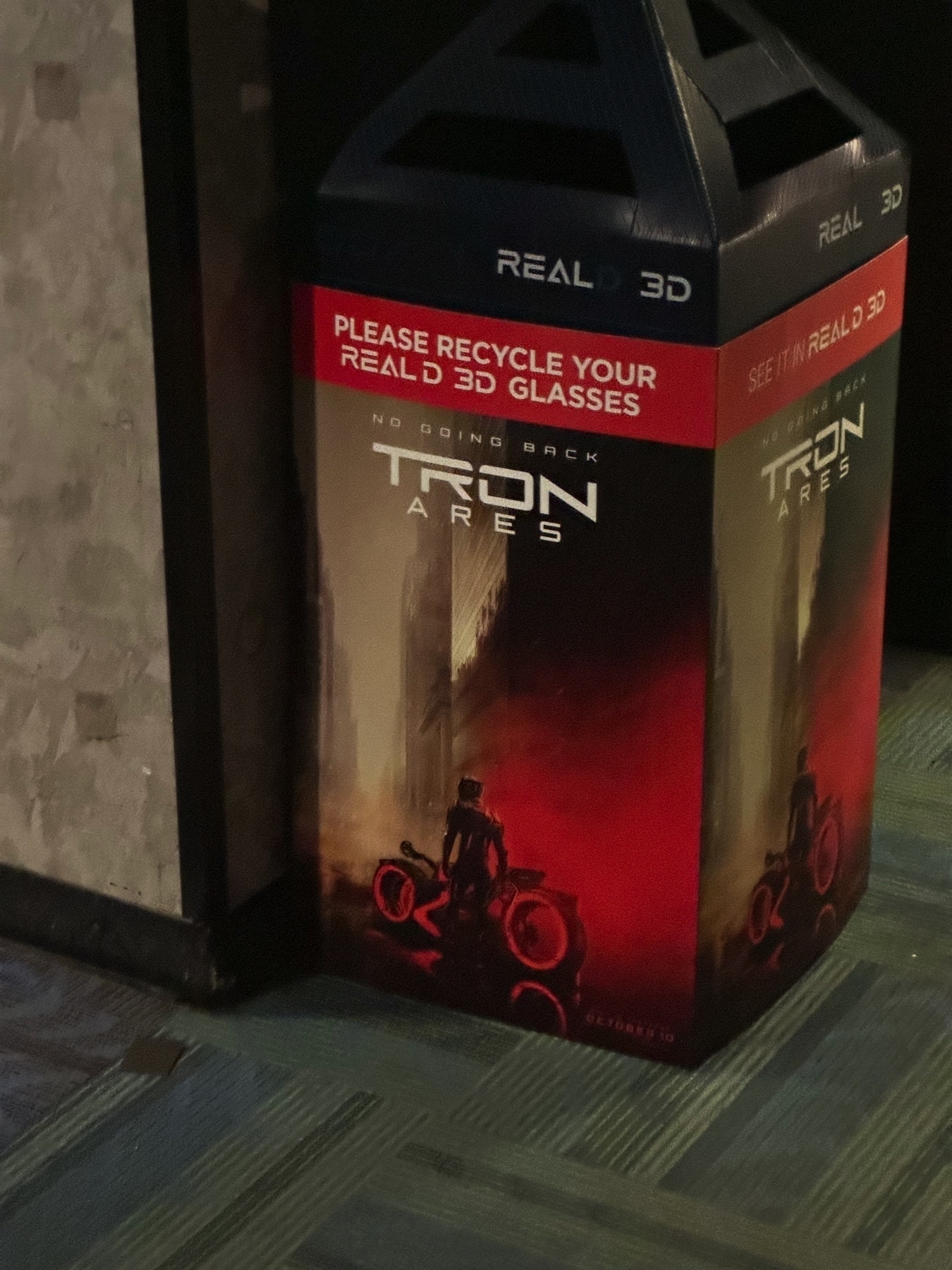
Was expecting to see more Tron Ares content at the theaters since it is coming out in October. It was cool to see this 3D glasses bin though last night!
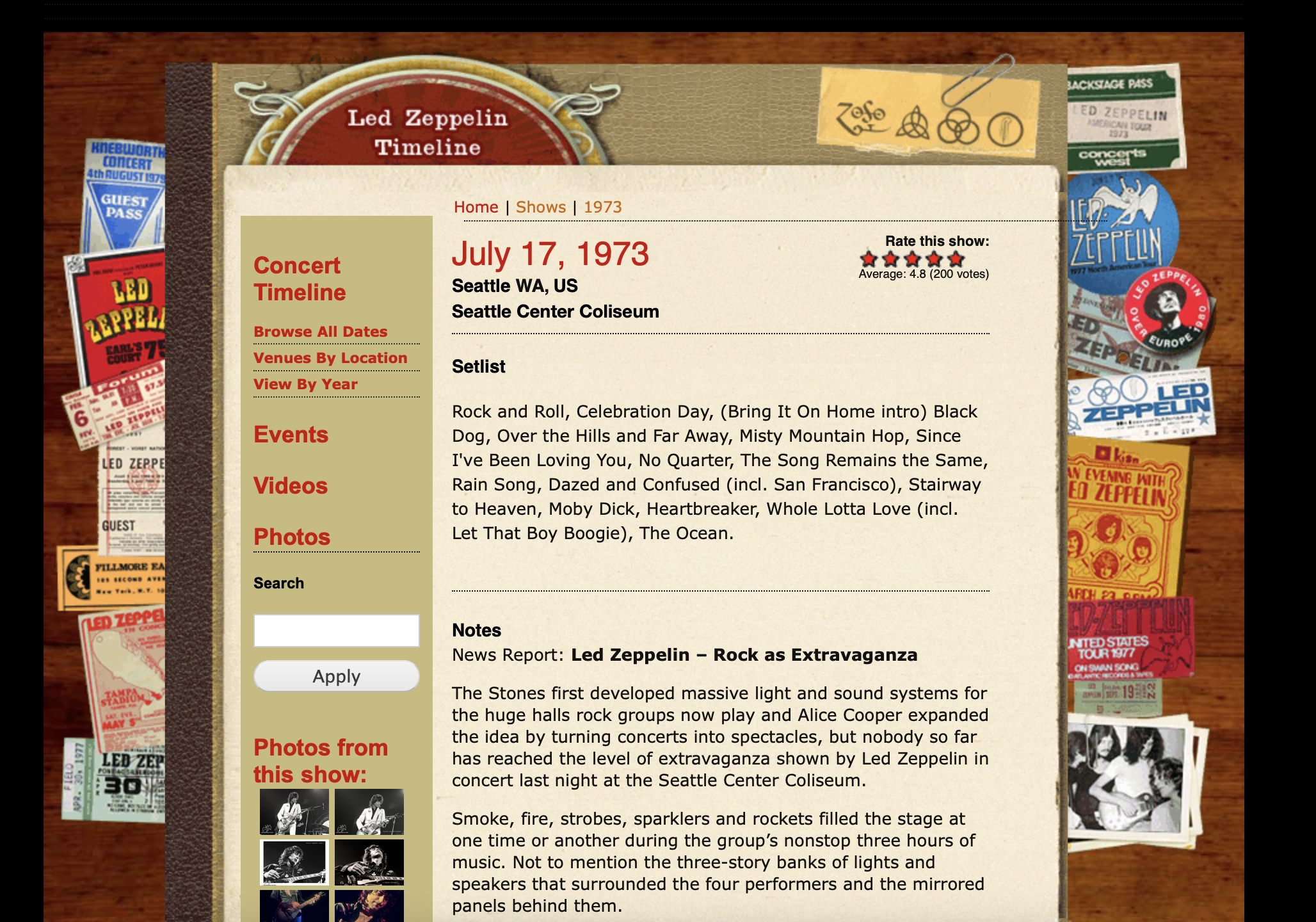
While researching some Led Zeppelin Bootlegs, I came across an official page still available with the most 2000s era website design still intact! This design style is still so unique and fun! www.ledzeppelin.com/show/seat…
Tweaked the app I’m working on to use some sheets for basic interactions. Really surprised how nice SwiftUI handles sheets with various positions options!
Interesting article from Ars Technica explaining just how bad the hiring process has become. The insane number in the very first sentence, “Employers are drowning in AI-generated job applications, with LinkedIn now processing 11,000 submissions per minute—a 45 percent surge from last year, according to new data reported by The New York Times.”
Apple’s built-in writing tools for summarization are pretty great, which tracks seeing as Mac OS has always had a good summary tool built in even to earlier versions. However, web apps that take over the default right-click action, like Google Sheets/Docs, really put a stop to easily using Apple’s tools. It is a bit of a letdown, and I wish Apple had some way to still present the writing tool option in these cases.